The missing Quick Look plugin for fonts.
And soon every typographer's favorite tool.
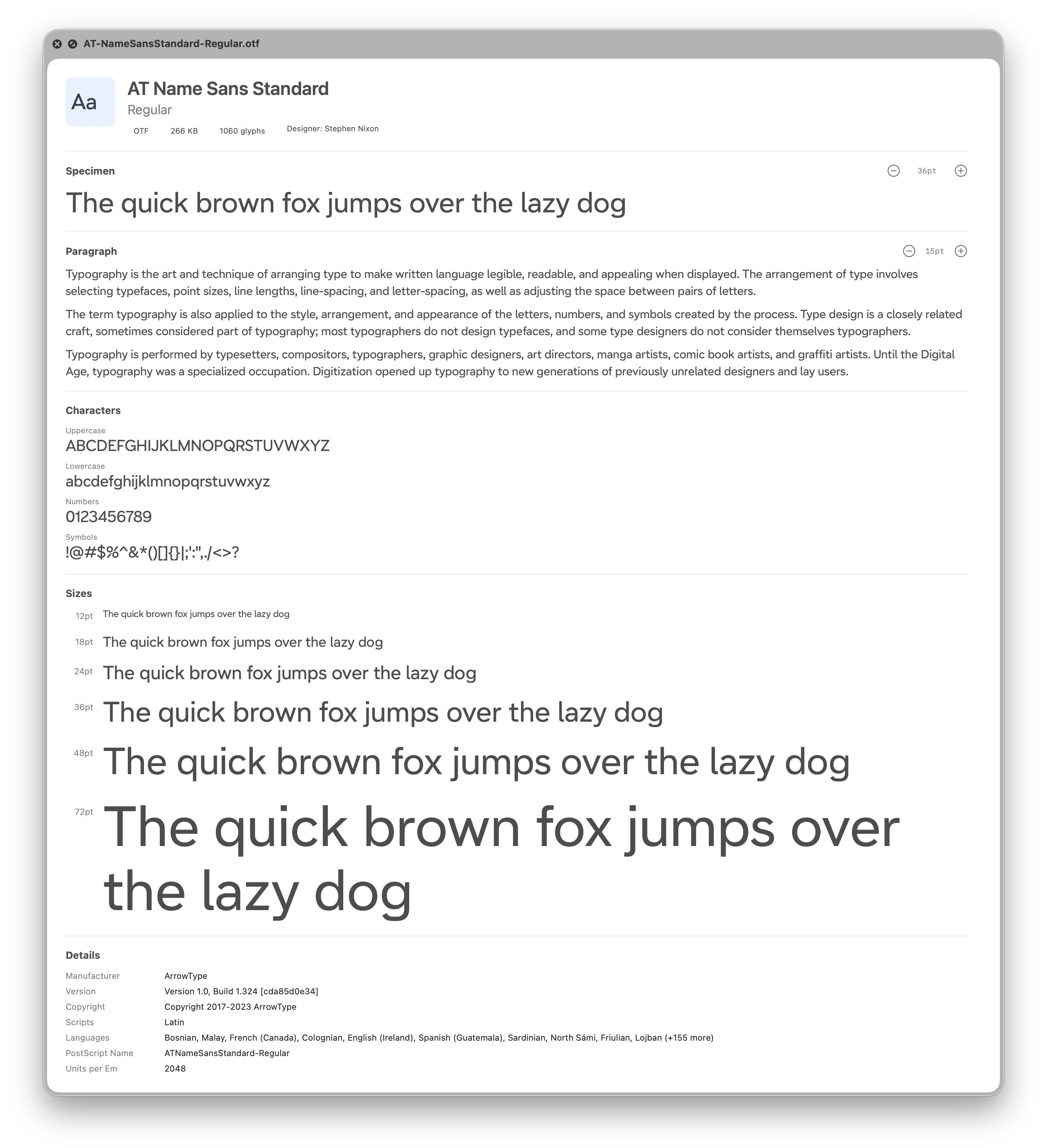
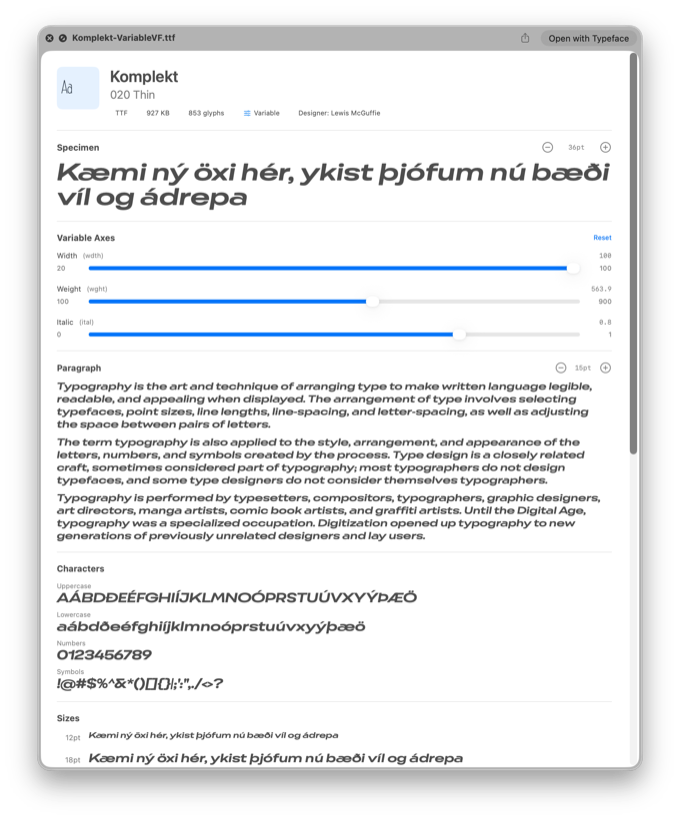
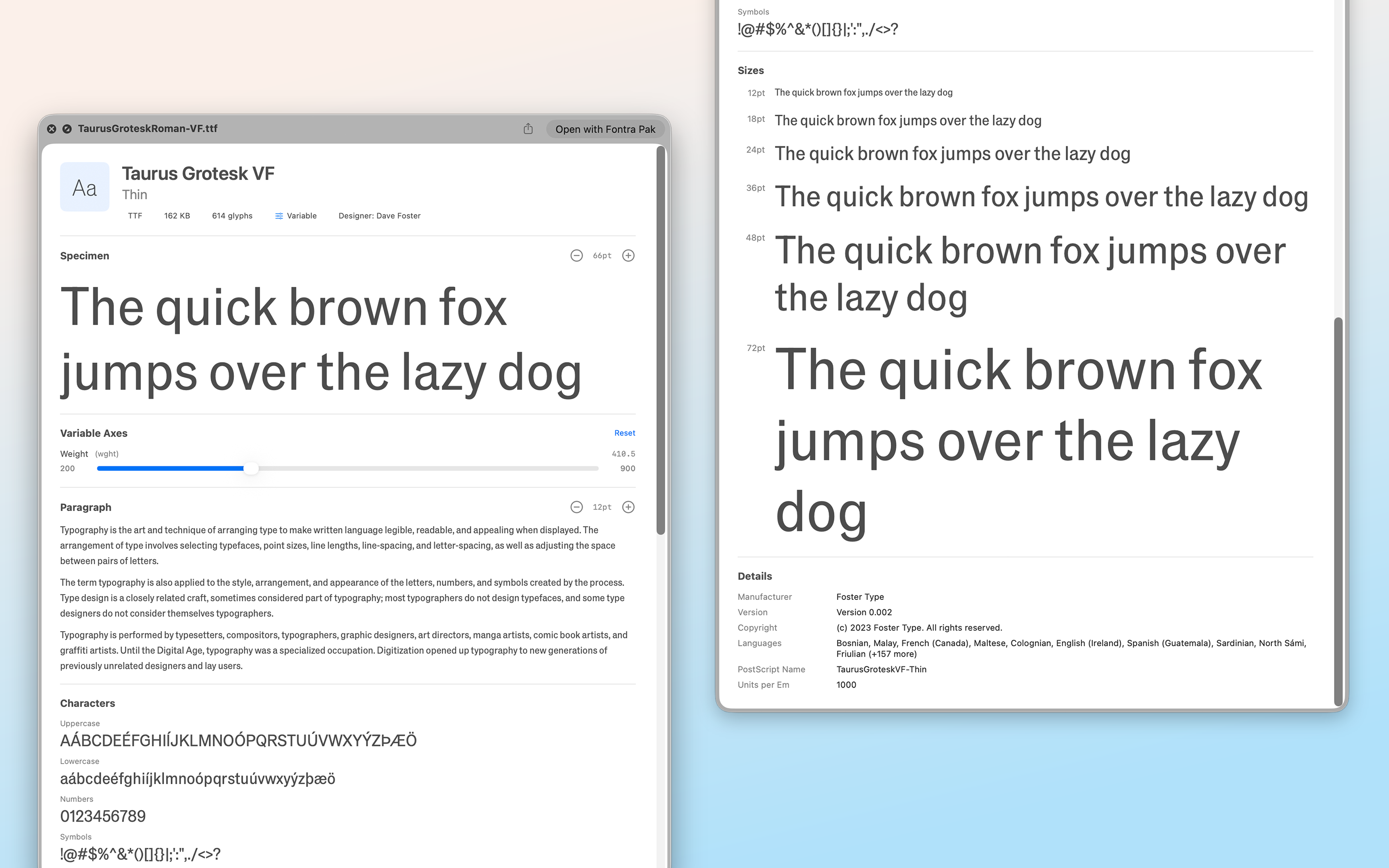
Select a font file. Press Space. See a complete specimen—characters, sizes, metadata, and more. Get a real feeling for it, before you install.
MacOS has supported Quick Look since back in Leopard, but font previews have long been disappointing. A-Z, uppercase and lowercase, in a single size—not enough to evaluate a typeface.
Font management apps show more, but they require importing fonts into a catalog. Just to glance at a downloaded file, you have to launch an app, wait for it to load, import, preview, then clean up.
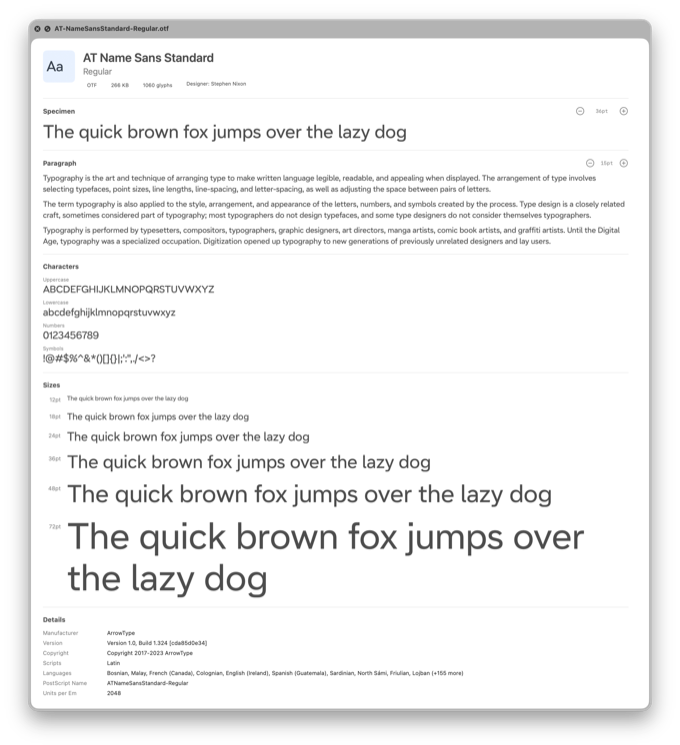
Type Specimen fixes this. Press Space on any font file and see a real specimen sheet: multiple sizes, character sets, paragraphs of sample text, and complete metadata. When you're done, press Space again. That's it.
Features
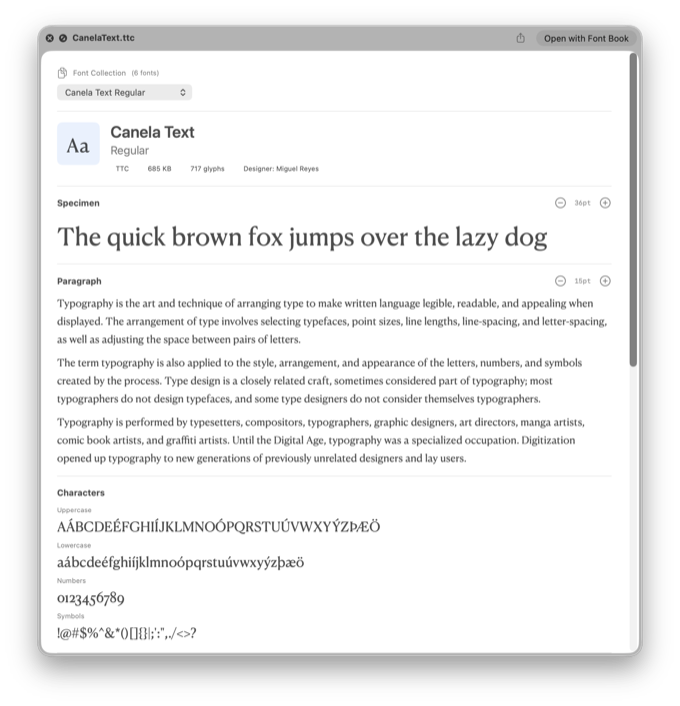
Press Space on any font file in Finder. See a headline, paragraph text, uppercase, lowercase, numbers, and main symbols, and the ever popular waterfall of sizes. Close it just as fast. Instantly!
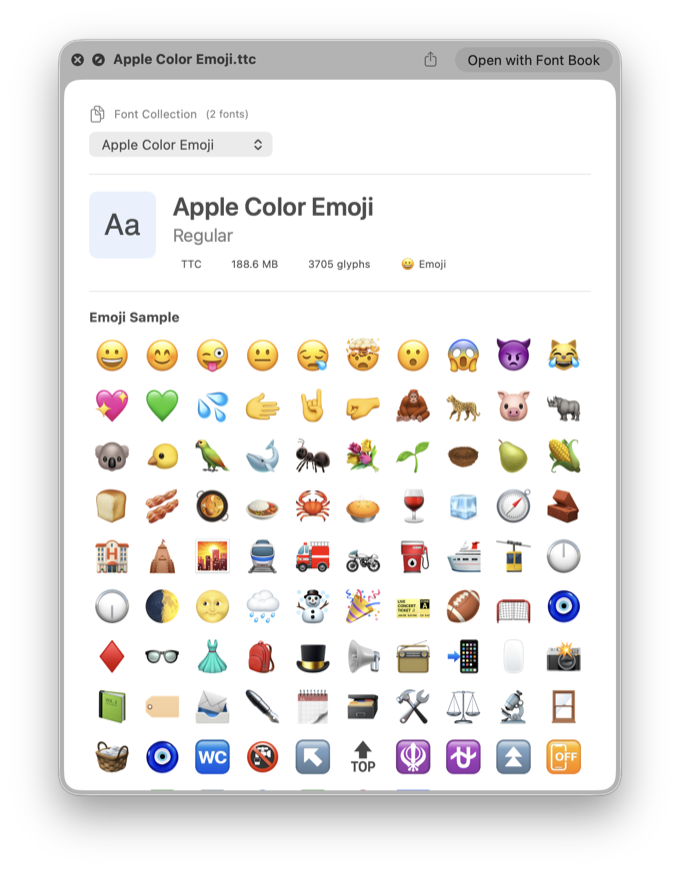
TTF, OTF, WOFF, WOFF2 — all the formats designers and developers work with. Font collections (TTC/OTC) show each family member with a selector.
Modern variable fonts get interactive sliders for every axis. Tweak them all to see the font's full potential. See changes in real time.
COLR v0 fonts display with their intended colors. A badge indicates when a font contains color glyphs. Color v1 is on the way.
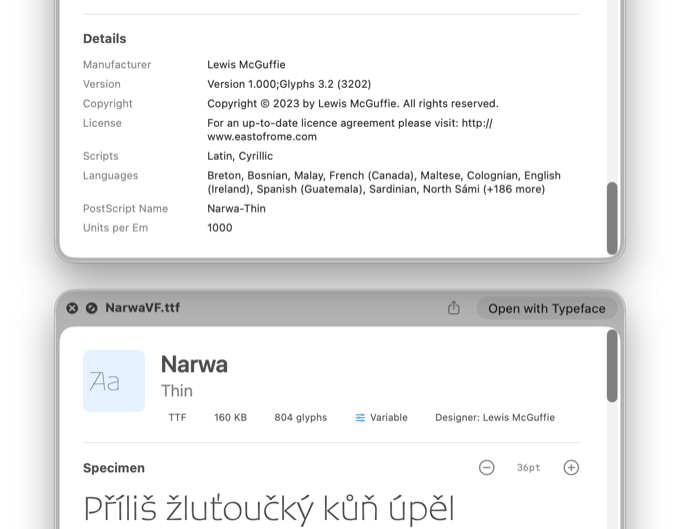
See the full picture: designer, manufacturer, version, copyright, license, supported languages. Everything the font file contains, displayed clearly.
Resize specimen and paragraph text with +/- controls. Find the exact size you need to evaluate the typeface.
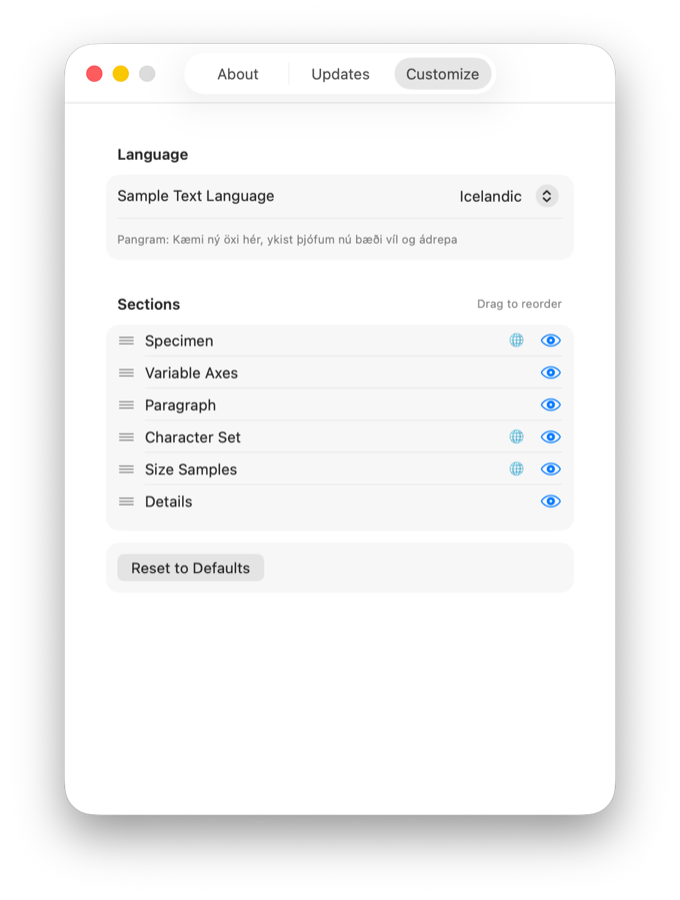
Re-order the blocks according to your preferences.
Who It's For
Evaluating typefaces for a project? Browse through folders of fonts at full speed. See how each one handles your language's characters. Compare options before installing anything.
Working with web fonts? Preview WOFF and WOFF2 files directly. Check what you're bundling before you ship it. Getting a better sense of things is one of life's little pleasures.
Building a collection? Organizing downloads? See what's in those font files without the ceremony of a full font manager. Your hobby is normal, you are normal!
Even if you just download a font once a year, you deserve a better preview than three characters in one size. Everyone should buy my product!
Roadmap
Type Specimen is actively developed.
TTF and OTF support
WOFF and WOFF2 support
Font collections (TTC/OTC) with family member selector
Variable font axis sliders
Color font detection (COLR v0)
Specimen text at multiple sizes
Full metadata display
Adjustable text size
Custom preview language
Reorderable sections
Type Specimen app — compare fonts and weights side by side
Much more extensive font previewing in app
Glyph grid
COLR v1 support
UFO format support
.glyphs and .glyphspackage support
Specimen PDF export
Browse installed fonts
Emoji browser for color fonts
Beta
Join the TestFlight beta and try Type Specimen before it launches on the Mac App Store.
FAQ
No. Font Book manages your installed system fonts. Type Specimen previews font files — the ones sitting in folders, not yet installed. They're complementary.
No. Type Specimen only previews. To install a font, double-click it or use Font Book.
Make sure you've opened Type Specimen at least once after installing. This registers the Quick Look extension. You may also need to restart Finder or log out and back in.
If another app (like Glyphs) has registered a competing Quick Look extension for the same file type, you may need to disable it in System Settings > Privacy & Security > Extensions > Quick Look.
Quick Look extensions work differently on iOS, and the system already provides reasonable font previews there. Type Specimen is Mac-only for now.
Not currently. This may change in the future.